实现效果
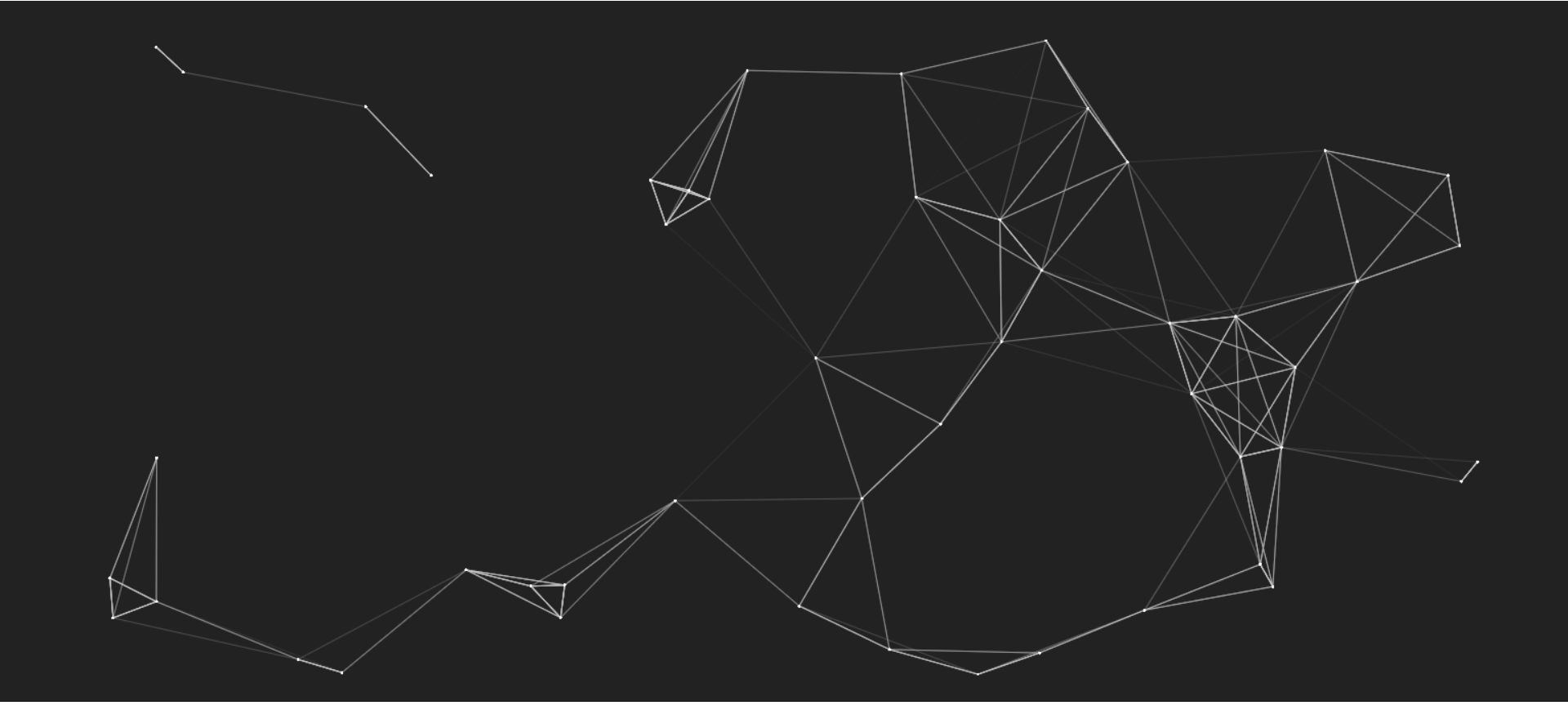
代码如下
<!DOCTYPE html>
<html lang="en">
<head>
    <meta charset="UTF-8">
    <meta name="viewport" content="width=device-width, initial-scale=1.0">
    <title>cavans</title>
</head>
<body>
    <canvas id="canvas" style="background: #222;"></canvas>
</body>

<script>
    let cvs = document.getElementById('canvas')
    // 检查浏览器是否支持canvas
    if (canvas.getContext) {
    // canvas相关的操作基本都在ctx上面进行
    const ctx = canvas.getContext('2d')
    }
    // 初始化Canvas
    init()

    class Point{
        constructor(){
            this.r = 2
            this.x = getRandom(0, cvs.width);
            this.y = getRandom(0, cvs.height);
            this.xSpeed = getRandom(-20,20);
            this.ySpeed = getRandom(-20,20);
            this.lastTime = null;
        }

        draw(){
            if(this.lastTime){
                let timeDiff = (Date.now() - this.lastTime) / 1000;
                let xDis = timeDiff * this.xSpeed;
                let yDis = timeDiff * this.ySpeed;
                let x = this.x + xDis,y = this.y + yDis;
                if(x >= cvs.width - this.r/2){
                    x = cvs.width - this.r/2
                    this.xSpeed = -this.xSpeed
                }else if(x<0){
                    this.xSpeed = -this.xSpeed
                }
                if(y >= cvs.height - this.r/2){
                    y = cvs.height - this.r/2
                    this.ySpeed = -this.ySpeed
                }else if(y<0){
                    this.ySpeed = -this.ySpeed
                }
                this.x = x
                this.y = y
            }
            ctx.beginPath()
            ctx.arc(this.x,this.y, this.r, 0, Math.PI *2)
            ctx.closePath()
            ctx.fillStyle = '#fff'
            ctx.fill()
            this.lastTime = Date.now()
        }
    }

    class pointGroup{
        constructor(maxnum = 50, maxLen = 170){
            this.points = new Array(maxnum).fill(0).map(() => new Point())
            this.maxLen = maxLen
        }

        draw(){
            requestAnimationFrame(() => {
                this.draw()
            })
            ctx.clearRect(0, 0, cvs.width, cvs.height)
            for (let i = 0; i < this.points.length; i++) {
                const p1 = this.points[i]
                p1.draw()
                for (let j = 0; j < this.points.length; j++) {
                    const p2 = this.points[j]
                    p2.draw()
                    const dis = Math.sqrt((p1.x - p2.x) ** 2 + (p1.y - p2.y) ** 2) // 两点之间的距离
                    if(dis > this.maxLen){
                        continue;
                    }
                    ctx.beginPath()
                    ctx.moveTo(p1.x,p1.y)
                    ctx.lineTo(p2.x,p2.y)
                    ctx.closePath()
                    ctx.strokeStyle = `rgba(200,200,200, ${1-dis/this.maxLen})`
                    ctx.stroke()
                }
            }
        }
    }


    const p = new pointGroup()
    p.draw()

    function init(){
        cvs.width = document.documentElement.clientWidth;
        cvs.height = document.documentElement.clientHeight;
    }
    // 产生随机数
    function getRandom(min, max){
        return Math.floor(Math.random() * (max + 1 - min) + min)
    }
</script>
</html>
本文链接:https://blog.smallhao.fun/?id=9 转载需授权!


暂无评论
发表评论